
Compatible models
Designed for supported YubiKey-style security keys including YubiKey 5C NFC and YubiKey 5 NFC.
- ✓YubiKey 5C NFC
- ✓YubiKey 5 NFC
- !Do not force oversized or unsupported keys into the case.
Check fit, seal, NFC note, and support for your NOPKEY protective case before first use.
NOPKEY is designed as a compact carrying capsule for compatible hardware security keys.
Designed for supported YubiKey-style security keys including YubiKey 5C NFC and YubiKey 5 NFC.
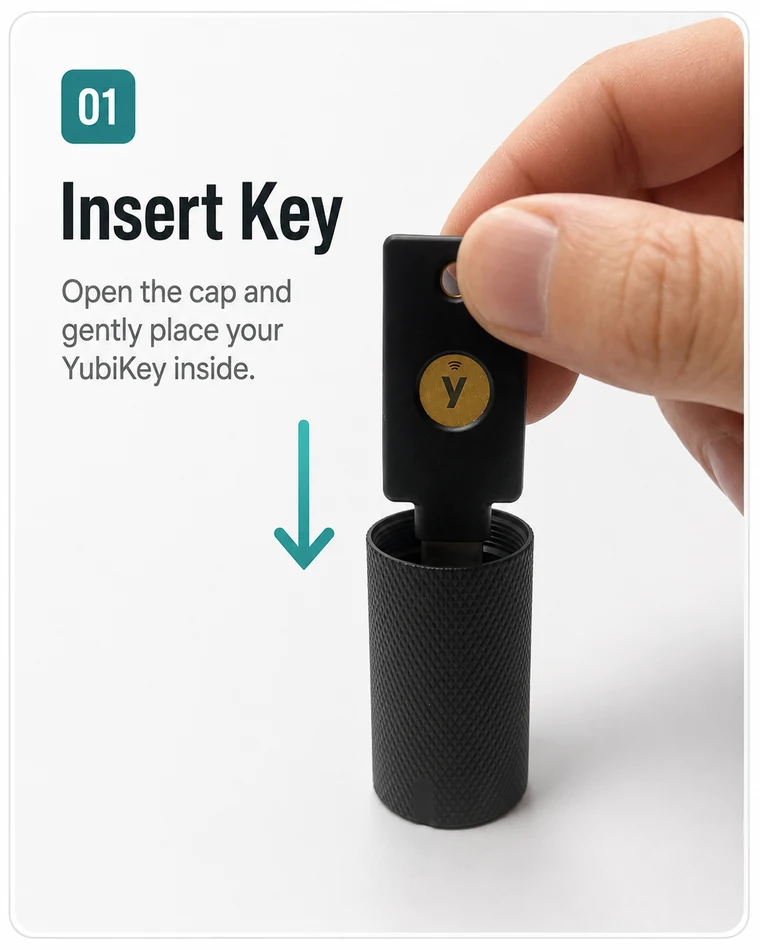
Use light pressure only. If it feels blocked, remove the key and check the orientation before trying again.
Open the cap and tip the capsule slightly. Do not use sharp tools that may scratch your security key.
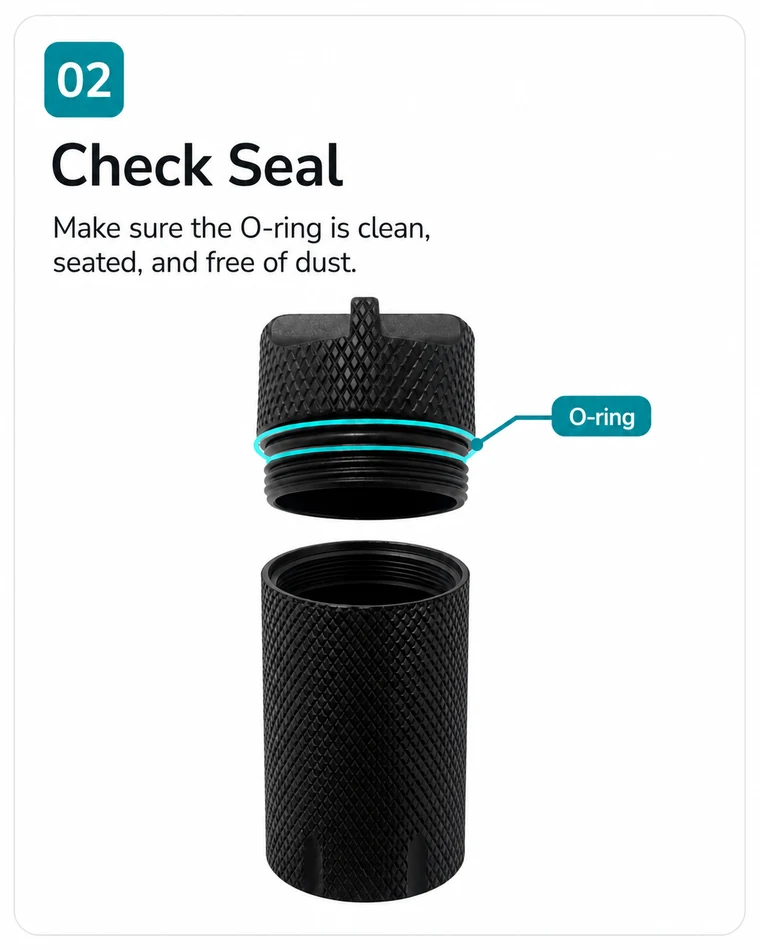
The O-ring and threaded cap help protect your key during everyday carry. A quick seal check helps prevent dust, hair, or debris from affecting the closure.
This product is a protective carrying capsule. Avoid long-term submersion or extreme environments. Check the seal before exposing the case to water.
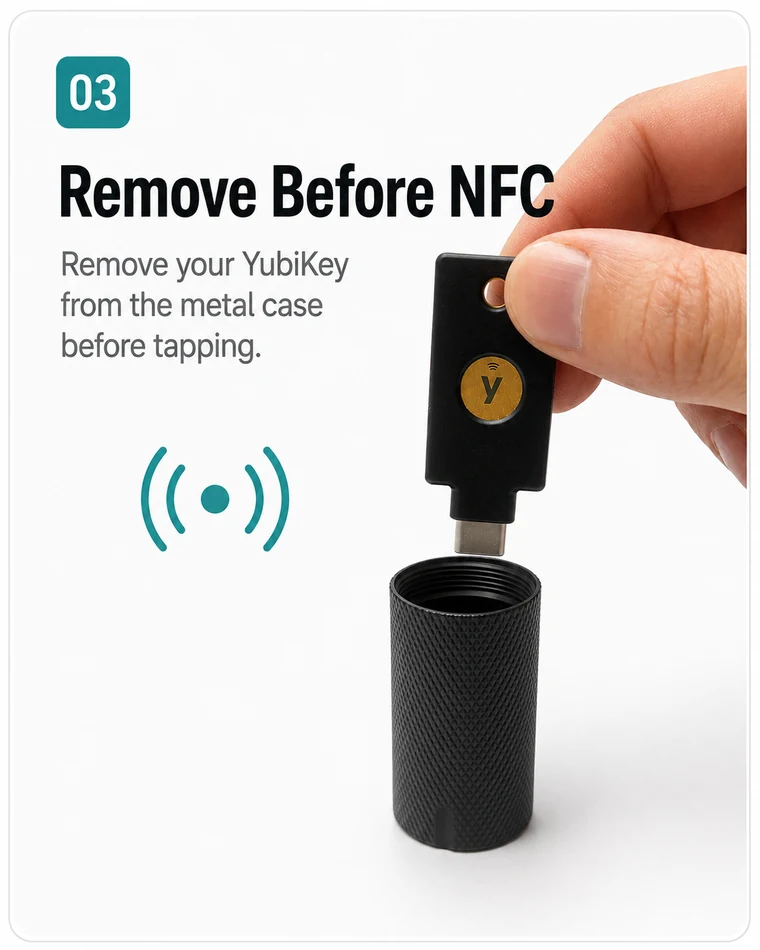
The metal case blocks NFC signals. Always remove your YubiKey from the case before NFC or USB authentication.
NFC does not work while the YubiKey is inside the metal capsule. Open the case, remove the YubiKey, then tap or plug it in for authentication.
Remove the key from the case before tapping it to your phone, tablet, or NFC reader.
Remove the key from the case before plugging it into a USB-C or USB-A port.
Keep the key inside the case when carrying it on your keychain, in a bag, or in your EDC setup.
Good security-key carry is not only about protection. It is also about keeping your primary and backup keys organized.
Use the case to give your security key a fixed place on your keychain, bag, or EDC pouch.
Keep your backup security key in a different safe place. Do not store every access method in one location.
Avoid keeping recovery codes, passwords, and your hardware security key in the same bag or case.
Quick answers before first use.
No. The metal capsule blocks NFC signals. Remove the YubiKey from the case before NFC tapping.
The case is designed for supported YubiKey-style security keys including YubiKey 5C NFC and YubiKey 5 NFC. Do not force unsupported or oversized models into the case.
The case is designed as a sealed protective carrying capsule. Check that the O-ring is clean and seated, and fully tighten the cap before exposure to water. Avoid long-term submersion or extreme conditions.
Threaded metal caps may feel firm. Check that the threads are aligned, then close the cap slowly. Do not cross-thread or force the cap.
Yes. The case is made for keychain-ready daily carry. Make sure the cap is fully closed before carrying.
Submit your order details and issue type. We can help with fit questions, seal issues, damage, or missing parts.
For fastest help, include a photo if there is visible damage, a missing part, or a fit issue.